Cleaning Around Cockpit Displays and Avionics
General guidance on cleaning near glass cockpit displays, knobs, and bezels: what avionics makers publish, why moisture and ammonia matter, and limits.
NWA Aircraft Detailing Editorial · · 4 min read
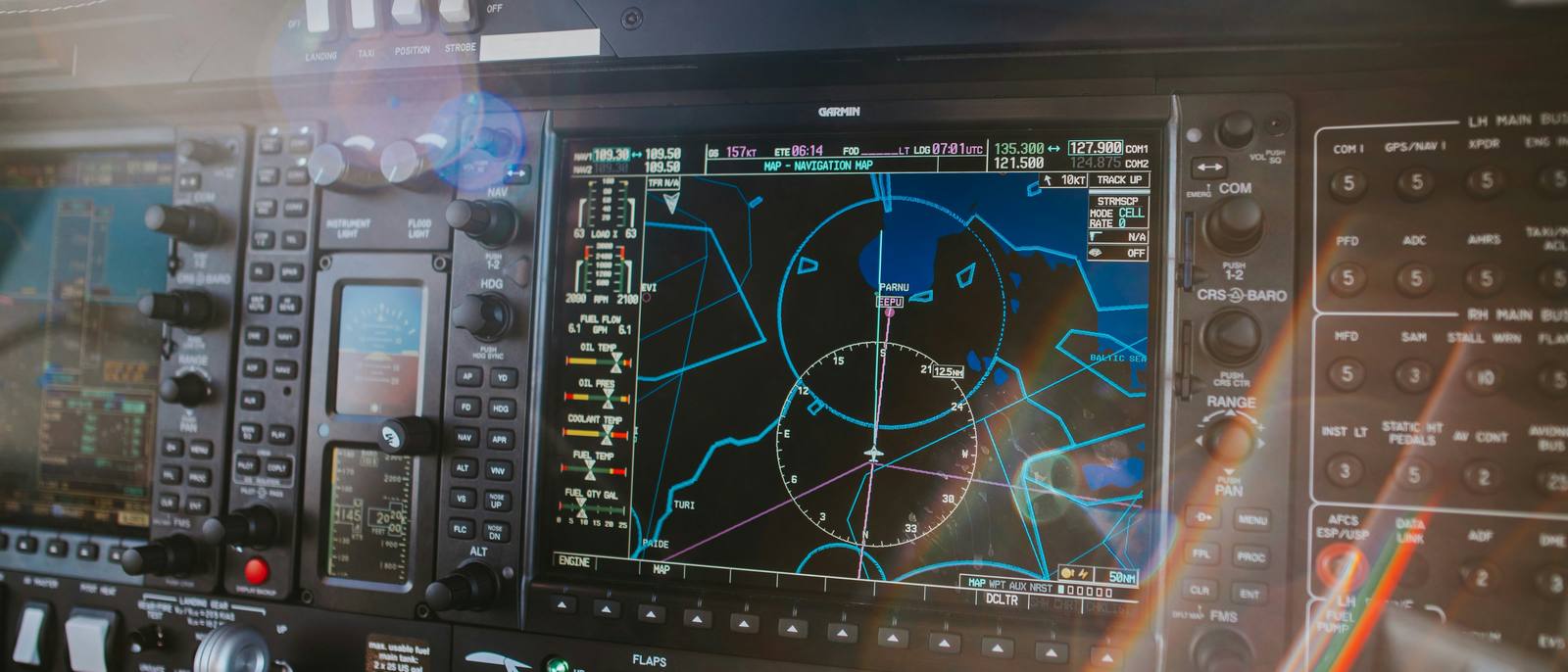
Cleaning in the cockpit is mostly about restraint. Display lenses often carry anti-reflective coatings that some cleaners damage, many avionics units are not waterproof, and knobs and buttons can gum up from residue. The governing guidance is whatever the avionics manufacturer publishes for each unit, followed with methods the owner or operator has approved. Detailing stays on the outside surfaces: no panels opened, no systems operated beyond what the owner authorizes.
What one major avionics maker publishes
Garmin has published consumer-facing care guidance for its aviation products, and it is a useful example of how specific these instructions are. In its avionics care article, Garmin says display bezels, keypads, and screens can be cleaned with a microfiber cloth, a soft cotton cloth dampened with clean water, or an eyeglass lens cleaner specified as safe for anti-reflective coatings. It warns against cleaning agents, especially those containing ammonia, because they can harm anti-reflective display coatings.
In separate cleaning and disinfecting guidance tied to its Service Advisory 2051, Garmin adds several points:
- Ammonia-based cleaners harm the anti-reflective coating on many Garmin aviation display lenses.
- Garmin does not recommend bleach-based cleaners, ammonia-based cleaners, or other harsh chemicals on any surface.
- For disinfecting, Garmin states a preference for a 70 percent isopropyl alcohol solution without ammonia, and says solutions up to 91 percent are acceptable on its products.
- Knobs, buttons, and bezels may be cleaned with a damp cloth and soap and water, with all soap residue removed so controls do not gum up or become slippery.
- Spraying or wetting units to the point where moisture could get past the exterior surfaces could damage them, and many aviation products are not rated as waterproof.
That guidance applies to Garmin products. Other makers may differ, and older units, standby instruments, and analog gauges have their own considerations. Check the pilot’s guide or manufacturer support for each unit in the panel before choosing a product.
Why the cockpit is different from the cabin
The cabin and cockpit often share materials, but a product that suits a leather seat or a plastic trim panel is not automatically suitable for a display lens six inches away. Bombardier makes the same point for its own aircraft, directing that disinfection products be applied in accordance with its interior grooming guide and the avionics manufacturer’s recommendations.
Some practical differences:
| Area | Main concern | General approach |
|---|---|---|
| Display lenses | Anti-reflective coating, scratching | Methods the avionics maker lists; soft, clean, lint-free cloth |
| Knobs, buttons, bezels | Residue, liquid getting behind controls | Damp, not wet, cloth; residue removed |
| Panel gaps and vents | Moisture and debris entering units | Nothing sprayed toward the panel |
| Glareshield | Dust, glare, adjacent windshield | Material-appropriate product, no overspray onto transparency |
| Yoke or stick, throttle quadrant | High-touch grime | Material-appropriate cleaner applied to cloth |
General habits that reduce risk
These are general practices, not procedures for any particular aircraft:
- Apply to the cloth, not the panel. Spraying toward avionics invites liquid into gaps. Garmin’s moisture warning is the reason.
- Use clean cloths. A cloth that has picked up grit elsewhere in the cabin can scratch a lens.
- Wipe gently. Pressure does not help a coated lens.
- Keep products separate. Leather conditioner, interior protectants, and glass cleaners for transparencies should stay away from display lenses unless the avionics maker approves them.
- Mind the windshield. The inside of the windshield is a transparency with its own care requirements. See why aircraft transparencies need material-specific care.
Screen cleaning modes and owner authorization
Many touchscreen units include a mode that disables touch input while the screen is wiped. Garmin describes a Clean Screen mode on its touchscreen products, found on GTN units under the Utilities page. Using it requires powering the avionics, which is an aircraft system operation.
That decision belongs to the owner or operator. A detailer should not apply aircraft power, run avionics, or change settings on their own initiative. If the owner wants screens cleaned in a clean screen mode, the owner or an authorized person should handle power and mode selection. Otherwise, displays can be cleaned powered off, with care not to press controls unintentionally.
Where detailing stops
The following are outside the scope of interior detailing and belong to the owner, operator, or a certificated technician or avionics shop:
- Opening panels, removing units, or accessing behind the panel.
- Cleaning inside connectors, vents, or cooling openings.
- Changing settings, updating databases, or handling database cards. Garmin advises careful handling of memory cards, and that is the operator’s job.
- Addressing display defects such as coating wear, delamination, or dead pixels.
If something looks wrong, such as a scratched lens, a sticky knob, or a cracked bezel, the right response during a detail is to stop, photograph it, and tell the owner.
Cockpits that see heavy use
Training aircraft and frequently flown business aircraft get the most cockpit contact. Grime on yokes, knobs, and headset jacks builds quickly. In those settings, a light, frequent wipe of high-touch areas with approved methods often works better than occasional heavy cleaning. Our article on flight school aircraft interiors covers shared cockpits, and recurring aircraft care explains how regular visits are scheduled.
Requesting cockpit cleaning as part of a detail
When asking about aircraft interior detailing, list the avionics installed (make and model of each display), any cleaning guidance you already follow, whether someone will be available to handle aircraft power if a clean screen mode is wanted, and any panel areas you want left alone. You can include those details in the quote request form, and the cockpit portion of the scope will be written around them. For the broader picture of a cabin cleaning, see what is included in an aircraft interior detail.
Sources
- Avionics Care: Cleaning and Disinfecting Guidance (Garmin)
- Caring For Your Avionics (Garmin)
- Interior grooming guide and disinfection procedures (Bombardier Full Throttle)
This article is general information about cosmetic aircraft care. It is not maintenance guidance. Your aircraft's manufacturer documentation and your maintenance provider take precedence.